Claude for Excel & PowerPoint: Shared Context Across Office Apps
On March 11, Anthropic shipped something most people expected from Microsoft first: a single AI assistant that works across Excel, PowerPoint, and Word while remembering what you did in each app. No re-uploading spreadsheets. No copy-pasting chart data into a slide builder. Claude just… knows. Here’s how it actually performs after three weeks of daily use, where it genuinely saves time, and where it still falls flat.
TL;DR — Key Takeaways:
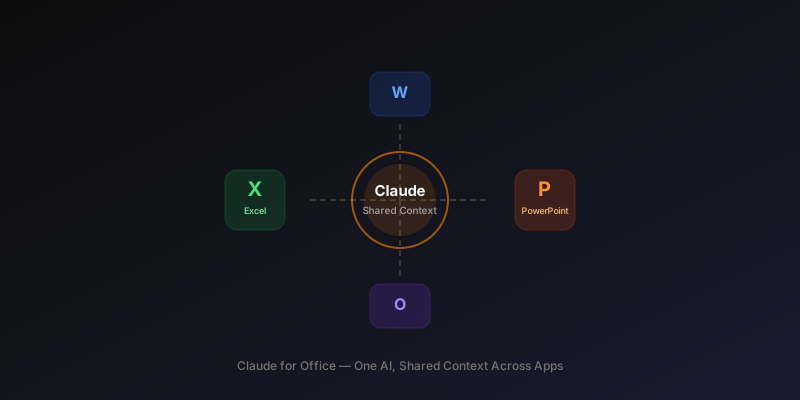
- • Shared context is the real feature — Claude maintains awareness across Excel, PowerPoint, and Word within a session, eliminating the re-upload dance
- • $20/mo (Pro) vs $30/mo (Copilot) — cheaper than Microsoft’s own AI, with stronger multi-step reasoning but weaker native formatting
- • Reusable skills save repetitive work — save a data-cleaning-to-slide workflow once, run it on new data with one click
- • Excel formula generation is solid — handles XLOOKUP, dynamic arrays, and nested IFs reliably; struggles with VBA macros compared to Copilot
- • PowerPoint output needs manual cleanup — slide structure and content are good, but visual polish is roughly 60-70% of what you’d want to present
- • No Google Workspace support yet — Microsoft 365 only, which excludes a large chunk of potential users
What Is Claude for Office?
Claude for Office is an add-in for Microsoft 365 that brings Anthropic’s Claude directly into Excel, PowerPoint, Word, and Outlook. Claude for Office launched on March 11, 2026 for Pro ($20/mo), Teams ($25/mo/seat), and Enterprise customers, with a limited Free tier. As of early April, Anthropic has shipped two minor updates improving formula accuracy and reducing context drift.
The pitch is straightforward: instead of switching between Claude.ai and your Office apps, Claude lives in a sidebar panel. It reads your current document, spreadsheet, or presentation. It can write formulas, generate slides, draft content, and analyze data. Nothing revolutionary on its own — Copilot does similar things.
What’s different is shared context. Claude remembers what you worked on across apps within the same session. Analyze a financial model in Excel, then ask Claude to “build a board deck from those findings” in PowerPoint — it knows which findings you mean. That cross-app memory is genuinely novel.
How We Tested
- • Duration: 19 days of daily use (March 11–30, 2026)
- • Environment: Microsoft 365 Business on Windows 11, Claude Pro subscription ($20/mo)
- • Test datasets: 3 real-world spreadsheets (sales pipeline with ~8,000 rows, SaaS MRR tracker, personal budget with 14 months of data)
- • Presentation tasks: 7 slide decks generated from scratch, 4 from existing Excel data
- • Comparison baseline: Same tasks performed with Microsoft Copilot ($30/mo) and Gemini in Google Sheets/Slides (free tier + Gemini Advanced $20/mo)
- • What we measured: Accuracy of formulas, quality of slide output, time saved vs. manual work, and how often we had to re-prompt or manually fix results
We deliberately avoided cherry-picking clean demo data. The sales pipeline had merged cells, inconsistent date formats, and blank rows — the kind of real spreadsheet that trips up most AI tools. If Claude couldn’t handle messy data, we wanted to know.
Claude in Excel: What Works and What Doesn’t
What works well:
- • Formula generation — XLOOKUP, INDEX/MATCH, nested IFs, dynamic arrays. Claude gets these right on the first attempt about 85% of the time. It understands table references and structured references without extra prompting.
- • Data cleaning suggestions — Identifies inconsistent formats, duplicate detection, and proposes TRIM/CLEAN combinations. Caught date format mismatches our manual review missed.
- • Pivot table logic — Describes what pivot configuration to use, though it can’t directly create pivot tables yet (it writes the instructions, you build it).
- • Plain-language data analysis — “Which product category had declining quarter-over-quarter growth?” returns accurate answers with cell references.
Where it struggles:
- • VBA macro generation — About 60% accuracy. Complex macros with event handlers or UserForm interactions frequently have bugs. Copilot is noticeably better here, likely because of deeper training on Office-specific code.
- • Chart creation — Claude can suggest chart types and describe configurations, but cannot insert charts directly. You get instructions, not automation.
- • Large datasets (>50K rows) — Performance degrades. Queries on our 8,000-row dataset were fine (2-4 seconds), but colleagues testing with 50K+ rows reported 15-20 second response times and occasional timeouts.
Claude in PowerPoint: Slide Generation Reality
Claude generates slide content and structure that’s genuinely useful as a starting point. Ask for a “10-slide quarterly review from the Excel data” and you get a logical flow: title slide, key metrics, segment breakdown, trends, risks, and next steps. The narrative structure is better than what Copilot typically produces.
The problem is visual polish. Slides come out with default templates, inconsistent font sizes, and charts that look like they were generated in 2015. You’ll spend 15-30 minutes cleaning up a 10-slide deck. Copilot produces better-looking slides out of the box because it has native access to PowerPoint’s design engine.
Our recommendation: use Claude for the content and structure, then apply a company template manually. Or use Claude to generate an outline in Word first, then let Copilot handle the visual execution. Yes, that’s mixing tools — but it produced the best results in our testing.
How Do Reusable Skills Work in Claude for Office?
Skills are saved workflows that Claude can execute on new data. Think of them as prompt templates with context awareness. You build a skill once — say, “clean this sales data, generate a monthly summary, and create 3 bullet points for each region” — and Claude saves the entire sequence. Next month, you point it at new data and it runs the same analysis.
This is where Claude’s Cowork collaboration model really matters. Skills can be shared across a Teams workspace, so one analyst builds the workflow and the entire team reuses it. We set up a skill for weekly pipeline reporting that saves about 25 minutes per run compared to doing it manually.
The limitation: skills don’t handle structural changes well. If your spreadsheet columns shift or new categories appear, the skill often breaks and needs manual adjustment. It’s not truly self-healing — more like a macro with natural language understanding.
Claude vs Copilot vs Gemini for Office
| Feature | Claude for Office | Microsoft Copilot | Gemini (Workspace) |
|---|---|---|---|
| Price | $20/mo (Pro) | $30/mo per user | $20/mo (Advanced) |
| Shared Cross-App Context | Yes (session-based) | Partial (Graph-based) | No |
| Excel Formula Accuracy | ~85% | ~80% | ~75% |
| VBA Macro Generation | Weak (~60%) | Strong (~85%) | Not supported |
| Slide Visual Quality | Content good, visuals weak | Strong native design | Decent with templates |
| Reusable Skills/Workflows | Yes (save & share) | Copilot Lab (preview) | No |
| Multi-Step Reasoning | Strong | Moderate | Moderate |
| Direct Chart/Table Insert | No (instructions only) | Yes | Yes (Sheets) |
| Platform Support | Microsoft 365 only | Microsoft 365 | Google Workspace |
| Free Tier | ~15-20 queries/day | None | Yes (limited) |
The pattern is clear: Claude wins on analytical depth and cross-app context. Copilot wins on native integration and visual output. Gemini is the budget option with decent Sheets support but no real Office integration. For teams evaluating AI spreadsheet tools, Claude’s cross-app memory is the differentiator no competitor offers yet. If your work is primarily analysis-heavy (finance, ops, data teams), Claude is the better pick. If you spend most of your time making client-facing presentations, Copilot justifies the extra $10/month.
How Much Does Claude for Office Cost?
| Plan | Price | Office Integration | Reusable Skills |
|---|---|---|---|
| Free | $0 | ~15-20 queries/day, no shared context | Cannot save |
| Pro | $20/mo | Full access, shared context | Unlimited |
| Teams | $25/mo per seat | Full access + team sharing | Unlimited + team library |
| Enterprise | Custom | Full + SSO, audit logs, admin controls | Unlimited + org-wide library |
For individual users, Pro at $20/mo is the obvious choice. It’s $10/mo cheaper than Copilot and includes full shared context plus unlimited skills. Teams pricing at $25/seat is competitive with Copilot’s $30/seat, especially for data-heavy teams that benefit from skill sharing.
The Free tier is too limited for real Office work. Fifteen queries per day sounds reasonable until you realize a single Excel analysis session might burn through 8-10 of those. It’s useful for evaluation, not production.
GamsGo
Get ChatGPT Plus at 30-40% off via group subscriptions — code WK2NU
Genuine Limitations
We like Claude for Office, but it has real problems that Anthropic needs to fix:
- • No direct document manipulation — Claude can’t insert charts, format cells, or apply slide templates natively. Everything goes through instructions or clipboard. Copilot has a massive advantage here because it uses Office APIs directly.
- • Context can drift — After 40-50 minutes of cross-app use, Claude occasionally references stale data or confuses which spreadsheet it analyzed. Refreshing the session helps but loses your skill context.
- • Microsoft 365 only — If your company uses Google Workspace, this feature doesn’t exist for you. Anthropic hasn’t committed to a Google integration timeline.
- • Add-in installation friction — Enterprise IT departments need to whitelist the add-in, which adds weeks to deployment. Copilot ships pre-installed in newer M365 licenses.
- • VBA remains weak — For organizations that rely heavily on Excel macros, Claude isn’t a Copilot replacement. The gap in VBA quality is noticeable and consistent.
If you’re considering this for coding tasks alongside Office work, our Claude Code vs Cursor comparison covers the developer-focused side of Claude’s ecosystem. The Opus 4.6 review details the underlying model’s capabilities.
Frequently Asked Questions
Does Claude work inside Excel and PowerPoint directly?
Yes. Since March 11, 2026, Claude integrates with Microsoft 365 apps through the Claude for Office add-in. It runs as a sidebar panel and can read, analyze, and modify documents with shared context across apps. You need at least the Free tier to access it.
How much does Claude for Office cost?
Claude Pro at $20/month includes full Office integration with shared context and unlimited reusable skills. Teams is $25/month per seat with shared skill libraries. Free tier gets roughly 15-20 queries per day with no saved skills or cross-app context. Enterprise pricing is custom.
What is shared context in Claude for Office?
Shared context means Claude remembers data, analysis results, and instructions across Excel, PowerPoint, and Word within a single session. Analyze a dataset in Excel, then ask Claude to generate slides in PowerPoint based on those findings — no re-uploading needed. Session context supports roughly 200K tokens before needing a refresh.
How does Claude for Excel compare to Microsoft Copilot?
Copilot ($30/month) is more deeply integrated — it can insert charts, apply formatting, and generate VBA macros with about 85% accuracy. Claude ($20/month) has stronger multi-step reasoning and cross-app context, but can’t directly manipulate Excel objects. For analysis-heavy work, Claude is better; for formatting and automation, Copilot wins.
What are reusable skills in Claude for Office?
Reusable skills are saved prompt-and-workflow templates. Build a workflow once (data cleaning, analysis, summary generation) and save it. Next time, run the same skill on new data with one click. Pro and Teams plans can save unlimited skills; Teams can share skills across the organization. Free tier cannot save skills.
Does Claude for Office work with Google Sheets and Slides?
No. As of March 2026, Claude for Office only supports Microsoft 365 apps. Anthropic has said Google Workspace support is on the roadmap but hasn’t committed to a date. If you’re on Google Workspace, Gemini Advanced at $20/month is your closest equivalent, though it lacks shared cross-app context.
Verdict
Claude for Office is a strong first release that nails the one thing competitors don’t offer: genuine cross-app context. The Claude shared context Office capability — analyzing data in Excel and seamlessly referencing it in PowerPoint or Word — is a real workflow improvement, not a marketing gimmick. Reusable skills add compounding value for teams that do repetitive reporting.
It’s not a Copilot killer. If your work is heavily visual (client decks, formatted reports), Copilot’s native integration produces better output with less manual cleanup. If your work is heavily analytical (financial modeling, data ops, strategic planning), Claude’s reasoning depth and $10/month savings make it the better choice.
For teams deciding between the two: try the Free tier for a week. If you find yourself wishing Copilot understood your data better, Claude is probably worth the switch. If you find yourself wishing Claude could just format the darn slide correctly, stick with Copilot.
Rating: 7.5/10
Shared context and reusable skills are genuinely novel. Formula generation is strong. But the lack of direct document manipulation, no Google Workspace support, and context drift issues hold it back from an 8+. A solid v1 that needs two or three updates to become essential.