Table of Contents
- 1. Natural Language CRM — 30 Minutes, Zero Code
- 2. Meeting Action Items That Actually Get Tracked
- 3. Personal Knowledge Base — Drop a Link, Done
- 4. AI Advisory Board: 8 Experts Debate Your Business Every Night
- 5. Security Committee — AI Auditing AI
- 6. Social Media Tracking + Daily Briefing
- 7. Video Topic Pipeline — From Idea to Project Card
- 8. Memory System — AI That Actually Remembers You
- 9. Food Diary That Found a Real Allergy
- 10. Scheduled Tasks, Backups, and Self-Updates
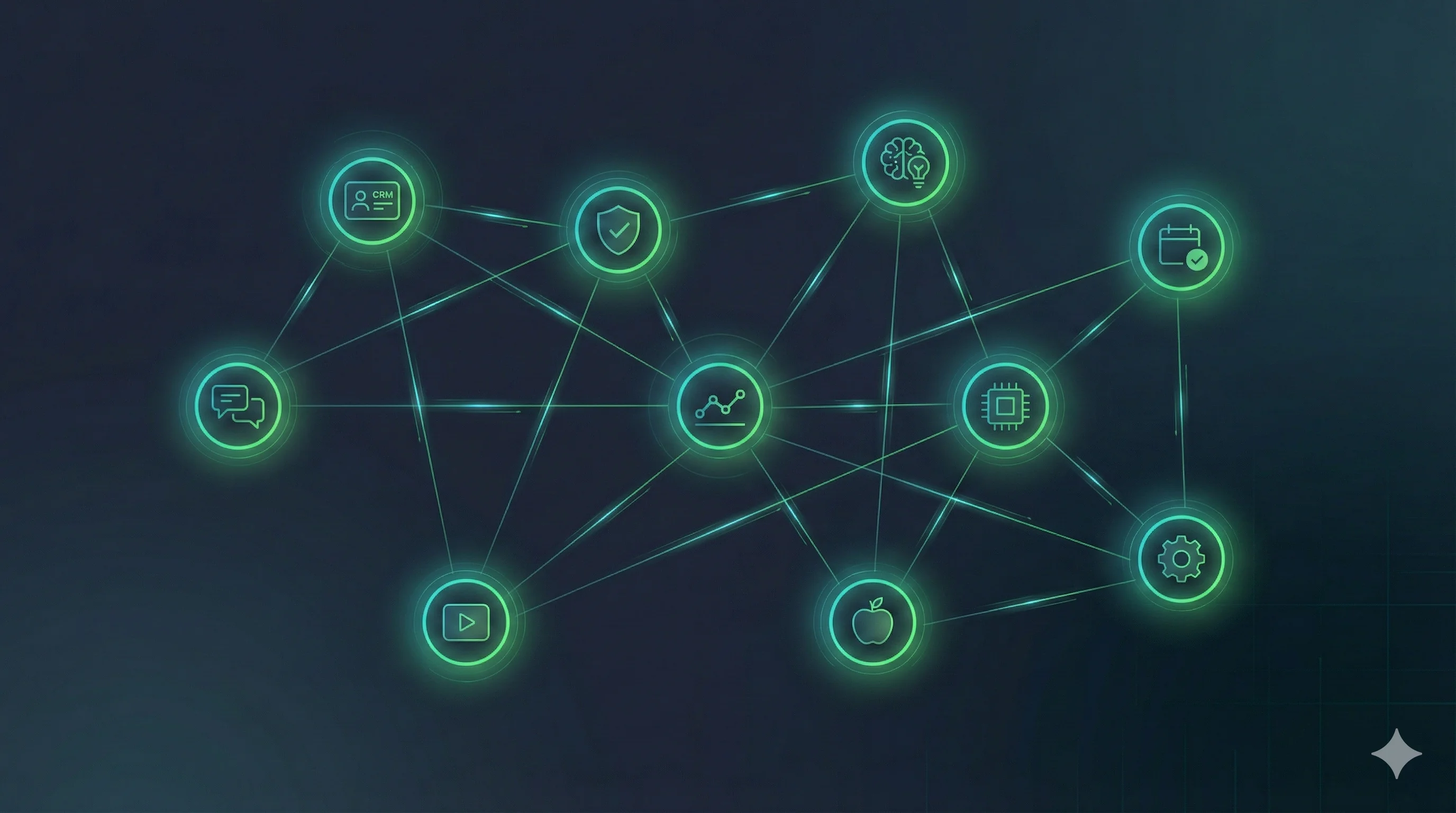
- The Flywheel: Why These Workflows Compound
- Security: What Berman Got Right
- FAQ
OpenClaw has been everywhere lately. Launch posts, architecture diagrams, Twitter threads explaining what it could do. The gap between "could" and "does" matters though, and most of the coverage stays firmly on the theoretical side.
Matthew Berman, a YouTuber who's been building with AI tools for years, recently published a video where he walked through every workflow he's running on OpenClaw. Not demos. Not prototypes. Production systems he relies on daily. The video clocks in at over an hour and covers a CRM, a knowledge base, an 8-agent advisory board, automated security reviews, and six other setups — all orchestrated from one laptop.
I went through the entire thing and pulled out the parts worth knowing. For each use case: what it does, how it works, and what makes it interesting (or not). If you're new to OpenClaw, our setup guide covers the initial configuration.
1. Natural Language CRM — 30 Minutes, Zero Code
This one lands first because it's the most immediately practical. Berman told OpenClaw, in plain English, to build him a CRM that pulls data from Gmail, Google Calendar, and Fathom (an AI meeting transcription tool). Filter out marketing emails and cold pitches. Keep only real conversations and genuine contacts.
No code written. Thirty minutes from prompt to working system.
The ingestion runs on a schedule: emails every 30 minutes, Fathom checks every 5 minutes during work hours. Before anything gets stored, an LLM evaluates whether the email or contact is worth keeping. This pre-filtering is the difference between a useful database and a noisy one.
What it can do once populated:
- Natural language queries — "What did I last discuss with John?" or "Who was my last contact at Company X?"
- Relationship health scoring — flags contacts you haven't spoken to in a while
- Duplicate detection — suggests merges when it finds the same person across sources
- Vector search — semantic matching, not just keyword search
The standout detail: the CRM doesn't just sit there waiting for queries. When Berman is working on something else — say, brainstorming video topics — the CRM chimes in: "You talked to a sponsor about this topic three months ago. Maybe they'd fund this episode." Cross-module awareness like this is hard to replicate with off-the-shelf tools.
His own take: "If I can build a fully custom CRM in 30 minutes and spend another hour or two iterating, why would I pay a CRM company?"
2. Meeting Action Items That Actually Get Tracked
This pairs with the CRM but deserves its own section. The workflow: meeting ends, Fathom transcribes, OpenClaw matches participants against the CRM, extracts action items, sends them to Telegram for approval, and approved items land in Todoist.
Three design decisions that separate this from a basic note-taker:
- Mine vs. theirs. The system distinguishes between things you committed to and things the other person promised. Their commitments get tagged "waiting on" and tracked separately.
- Self-correcting extraction. If Berman rejects an action item ("that's not my task"), the system learns the rejection reason and updates its extraction rules. Next time, similar items won't get flagged.
- Automated completion checks. Three times daily. If you said "I'll send the email today," the system checks if you actually sent it and marks it done automatically.
Items older than 14 days auto-archive to keep the list from becoming a guilt-inducing graveyard of undone tasks.
The value here isn't any single feature. It's that the "meeting follow-up" gap — the place where good intentions go to die — gets automated end to end.
3. Personal Knowledge Base — Drop a Link, Done
The universal problem: you see something interesting, save it somewhere, and never find it again. Berman's solution is brutally simple. Every link goes into a Telegram chat. OpenClaw handles the rest.
What it processes:
- Articles — full text extraction, including paywall bypass via browser automation
- YouTube videos — pulls subtitle/transcript text
- X posts — grabs the full thread and any linked articles, not just the single tweet
- PDFs — direct text parsing
Everything gets vector-embedded and stored in local SQLite. Query it later with natural language: "Show me everything about OpenAI's latest models."
The team collaboration angle is clever: every saved item auto-posts to Slack as "Matt wants you to check this out." The team knows it was human-curated, not AI-generated noise — which actually makes people read it.
What makes this work isn't technical sophistication. It's that the usage barrier is essentially zero. No tags, no folders, no organization. Throw the link in, search later. The AI handles the structure.
4. AI Advisory Board: 8 Experts Debate Your Business Every Night
This is the most ambitious workflow in the collection, and the one that stretches what most people think an AI agent should do.
Data inputs: 14 sources. YouTube Analytics, Instagram per-post engagement, X metrics, TikTok data, email campaign stats, meeting transcripts, cron job health, Slack messages. Essentially every business metric Berman tracks.
Analysis: Eight AI agents, each assigned a specialty — finance, marketing, growth, operations, content strategy, and so on. They run in parallel, each analyzing the full dataset from their own perspective. After individual analysis, they "discuss" findings with each other, surface disagreements, and produce a merged list of recommendations ranked by priority.
Delivery: Runs automatically every night. Results arrive as numbered items in Telegram. Berman scans them over coffee and can reply "Expand on #3" for deeper analysis on any point.
The design pattern — multi-agent debate — is what makes this more than a fancy summary tool. A single AI agent tends to agree with itself. Eight agents with different mandates will disagree. The finance agent says cut spending; the marketing agent says invest more. The system has to reconcile those tensions, and the output is better for it.
Running 8 parallel agents nightly does consume meaningful API tokens. If you're thinking about replicating this, understanding the subscription cost structure is worth reading first.
GamsGo
Get Claude Pro and ChatGPT Plus subscriptions at 60-70% off — ideal for running multi-agent OpenClaw workflows without burning through API credits
5. Security Committee — AI Auditing AI
Same multi-agent architecture as the advisory board, different purpose entirely.
Schedule: 3:30 AM nightly, staggered to avoid API quota collisions with other scheduled workflows.
The audit team: Four specialist agents examining the system from different angles — offensive security (how could an attacker exploit this?), defensive security (are protections working?), data privacy (is anything leaking?), and operational authenticity (are outputs accurate and unmanipulated?).
Scope: The full codebase. Git commit history. Runtime logs. Error logs. Stored data. These aren't static rule-based scans — the agents read and reason about the actual code logic.
Output: Claude Opus synthesizes all findings into a numbered report delivered via Telegram. Critical issues trigger immediate alerts. For less urgent items, Berman can reply "fix it" and the system patches the issue automatically.
Self-improvement: Every fix becomes training data. The review criteria evolve. Some nights the report comes back empty — not because nothing was checked, but because the system confirmed everything looks clean.
Berman acknowledges the fundamental tension directly: prompt injection defense is never perfect. Large language models are non-deterministic. You can't guarantee security in the traditional sense. But having a system that runs a thorough self-check every 24 hours is materially better than having nothing. Our OpenClaw review covers the broader security architecture if you want more detail.
6. Social Media Tracking + Daily Briefing
YouTube, Instagram, X, TikTok. Daily snapshots pulled into SQLite. Per-video and per-post performance metrics tracked over time.
Two uses:
- Morning briefing — delivered to Telegram. What performed well yesterday, what flopped, any anomalies worth investigating.
- Advisory board input — this data is one of the 14 sources that feeds the nightly business review. Social metrics don't exist in isolation; they're analyzed alongside revenue, meetings, and operational health.
This is a good example of the flywheel effect. The social media tracker isn't a standalone tool — it's a data source that makes two other workflows smarter.
7. Video Topic Pipeline — From Idea to Project Card
Trigger: someone in Berman's Slack replies to a message thread with "@Claude, this is a video idea."
What happens next, automatically:
- Reads the full Slack thread for context
- Searches the web and X for current discussion around the topic
- Checks the knowledge base for related saved content
- Deduplicates against existing video ideas
- Generates a full brief: title suggestions, thumbnail concepts, opening hook, video structure
- Scores the topic on "is this worth making?"
- Creates an Asana project card with all research attached
In one demo, a team member shared news about a new model release. Within minutes, the system produced a complete video brief including Twitter reactions from relevant creators, open-source community responses, and suggested narrative angles.
The gap between "that could be a video" and "here's the production plan" shrinks to almost nothing. For content creators running on a schedule, that compression is genuinely valuable.
8. Memory System — AI That Actually Remembers You
The default AI experience is amnesia. Every conversation starts fresh. Berman's OpenClaw setup has a layered memory system that changes the dynamic significantly.
Layer 1 — Conversation logs: Every daily conversation auto-saves as Markdown.
Layer 2 — Preference extraction: Writing style, communication tone, areas of interest, stock watchlists, email sorting rules — distilled from conversations and stored in a dedicated memory.md file.
Layer 3 — Identity updates: Each new session reads the memory files and refreshes identity.md and soul.md, which define how the AI behaves.
Layer 4 — Vector retrieval: All memory files are embedded for RAG search, so relevant past context surfaces automatically.
One practical touch: context-dependent personality. In private Telegram chats, the AI is casual and humorous. In team Slack channels, it switches to a professional colleague tone. Both personas are defined in soul.md and selected based on the communication channel.
If you're setting this up yourself, our context management guide covers the historyLimit and memory configuration in detail — getting these wrong can cause token costs to spiral.
9. Food Diary That Found a Real Allergy
This one caught me off guard. It's not a business workflow at all.
How it works: Snap a photo of your meal, send it to OpenClaw. The AI identifies ingredients and logs them. Three times a day, it prompts you to report how your stomach feels. Everything goes into a food journal database.
Weekly analysis: The system cross-references food logs against symptom reports, looking for patterns across time.
The result: It identified that Berman was sensitive to onions. He had no idea. This is the kind of analysis that typically requires a formal elimination diet supervised by a dietitian, or expensive allergy testing at a clinic.
An AI chat assistant doing reliable food sensitivity detection — from photos and self-reported symptoms — is a genuinely surprising application. It's not the flashiest use case in this list, but it might be the one with the most personal impact.
10. Scheduled Tasks, Backups, and Self-Updates
Less exciting than AI advisory boards, but arguably more important. The infrastructure that keeps everything else running.
| Frequency | Task |
|---|---|
| Every 5 min | Check Fathom for new meeting transcripts |
| Every 30 min | Scan email inbox |
| 3x daily | Action item completion checks |
| Nightly | CRM scan, security audit, advisory board, daily briefing, log ingestion |
| Weekly | Memory synthesis, revenue preview |
| Hourly | Git commit + database backup |
Backup strategy: All SQLite databases auto-discovered, encrypted, and uploaded to Google Drive. Seven-day retention. Code commits to GitHub every hour. Any backup failure triggers an immediate Telegram alert.
Self-updates: Every evening at 9 PM, the system checks for new OpenClaw versions, displays the changelog, and waits for a one-word command ("update") to upgrade and restart.
Token tracking: Every LLM call logs which model was used and how many tokens it consumed. The system even downloads each provider's official prompting guidelines and optimizes its own prompts accordingly.
The operating principle: you sleep, the system works. The system breaks, you know immediately.
The Flywheel: Why These Workflows Compound
Individually, each workflow is interesting but not revolutionary. ChatGPT can query contacts. Notion AI can organize a knowledge base. Todoist already tracks action items. For a broader look at which AI tools handle specific tasks, our AI tools by use case guide maps tools to real workflows.
The difference is data flow between modules:
- CRM data → feeds the advisory board's relationship insights
- Knowledge base → feeds the video topic pipeline's research
- Social media metrics → feed both the daily briefing and the advisory board
- Meeting transcripts → feed CRM updates and action item extraction
- All module logs → feed the security committee's nightly review
No module is an island. Each one generates data that makes other modules better. This is why one person with one laptop can produce output that would otherwise require a small operations team. Not because any single AI workflow is magical, but because the combined system has compound intelligence that isolated tools can't match.
Berman put it well: "You'll start to see how all the different pieces I've built interact with each other and make each other more powerful."
Security: What Berman Got Right
Worth calling out separately because most OpenClaw tutorials gloss over this entirely.
- Prompt injection defense — all external content (emails, articles, social posts) treated as potentially malicious; deterministic code pre-scans before LLM processing
- Minimal permissions — email and calendar access is read-only. No write permissions
- Output sanitization — summaries never reproduce content verbatim; API keys and tokens automatically stripped
- Human approval gates — sending emails or posting to social media requires explicit confirmation
- Encrypted backups — dual-password protection;
.envfiles excluded from all repositories
His candid assessment: "There's no perfect security solution. LLMs are non-deterministic systems. Fully preventing prompt injection is impossible. But that doesn't mean you do nothing."
That pragmatism — accepting the limitations while still building robust defenses — is the right approach for anyone running agent-level AI systems.
Frequently Asked Questions
How much does it cost to run these OpenClaw workflows?
Most workflows fit within a Claude Pro ($20/month) or ChatGPT Plus ($20/month) subscription. The advisory board — running 8 agents nightly against 14 data sources — is the heaviest consumer, roughly $2-5/day on direct API access. Configuring provider routing can keep costs within subscription limits for lighter usage. Platforms like GamsGo offer 60-70% discounts on subscriptions, which helps if you're running multiple providers simultaneously.
Do I need coding experience to build these?
Berman built the CRM with zero code — pure natural language instructions. That said, understanding APIs, cron scheduling, and data flow concepts makes debugging easier. If something breaks at 3 AM, knowing how to read a log helps. For the initial OpenClaw setup, our step-by-step guide covers the technical prerequisites.
Can these workflows run while I sleep?
Yes. OpenClaw's cron support handles scheduling natively. The security audit runs at 3:30 AM, the advisory board runs every night, email scanning runs every 30 minutes around the clock. Results are delivered to Telegram or Slack — you see outputs when you wake up.
Is it safe to give OpenClaw access to my email and calendar?
Only if you configure it correctly. The non-negotiable baseline: read-only access for all data sources. OpenClaw should ingest and analyze, not send or modify. Pair this with prompt injection defenses on all incoming content and human approval gates on any outbound action. The security committee workflow (use case #5) is itself a safeguard — it reviews the system's own behavior nightly.
Which AI subscription should I use with OpenClaw?
Claude Pro handles most workflows well, especially the advisory board and security review (Opus excels at multi-step reasoning). ChatGPT Plus is a solid second provider for diversity. Our token anxiety guide breaks down the cost comparison, and the ChatGPT vs Claude comparison covers capability differences.
Source: This article is based on Matthew Berman's video "21 INSANE Use Cases For OpenClaw" (February 2026). We selected and rewrote the 10 most practical use cases with additional context and analysis. The original video includes full prompts for each workflow.
Related Articles
OpenClaw Setup Guide: Which AI Subscription Do You Need?
Step-by-step configuration for connecting OpenClaw to multiple AI providers
OpenClaw Context Management: Prevent Memory Loss and Token Waste
Configure historyLimit, memory hooks, and context pruning to cut token costs by 91%
Stop OpenClaw Token Anxiety: Your $20 Subscriptions Are All You Need
How to power OpenClaw with Claude Pro, ChatGPT Plus, and Gemini without per-token billing
OpenClaw Review: The AI Assistant That Lives on Your Machine
Features, real costs, security risks, and who OpenClaw is actually for